
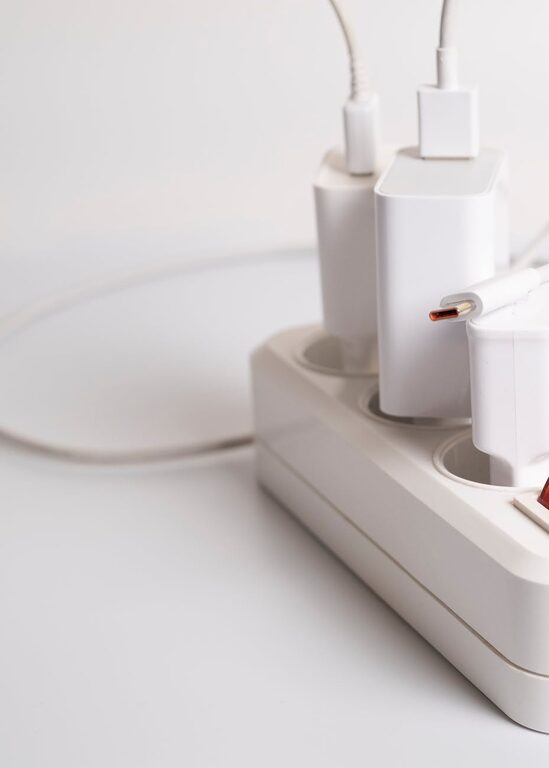
Setting up a dedicated charging station for your devices can help keep your home organized and make sure all your gadgets are ready to use when you need them. Whether you have smartphones, tablets, wireless earbuds, or smartwatches, having one place to power them up reduces clutter and saves time searching for chargers. This guide will walk you through how to create a convenient and efficient charging station tailored to your needs.
Why Create a Charging Station?
With multiple devices in most households, cords and chargers can quickly become a tangled mess. A charging station:
– Keeps all devices in one place
– Prevents lost or misplaced chargers
– Reduces cable clutter on desks or counters
– Offers a neat, designated spot for charging
– Can help track devices needing a charge
Having a set spot also can encourage healthier charging habits and protect your devices from damage or overcharging when using smart charging hubs.
Choosing the Right Location
Start by picking a convenient location for your charging station. Consider:
– Frequency of Use: A living room or kitchen countertop works well for communal devices, while a bedroom or office desk might suit personal gadgets.
– Proximity to Power Outlets: Ensure the spot has easy access to one or more electrical outlets to avoid extension cords.
– Flat, Stable Surface: Choose a level area that can safely hold chargers and devices without risk of falling.
– Cable Management Opportunities: Areas near cable organizers or furniture with built-in cord ports help maintain neatness.
What You’ll Need
Gather the supplies before starting your setup. Here’s a basic checklist:
– Charging Hub or Multi-Port USB Charger: A smart charger with multiple USB ports and fast charging options keeps cables minimal and powers multiple devices simultaneously.
– Charging Station Organizer or Tray: A tray with slots or compartments holds devices upright and separates them during charging.
– Charging Cables: Ensure you have the right cables for each device (USB-C, Lightning, Micro-USB) in good condition.
– Cord Management Tools: Cable clips, ties, or sleeves keep wires grouped and prevent tangling.
– Power Strip (optional): If outlets are limited, a power strip with surge protection may be useful.
– Labeling Supplies (optional): Labels can help identify chargers easily, especially if sharing with family or roommates.
Step-by-Step Setup Process
1. Clear and Clean Your Space
Start by removing any unrelated items from your chosen surface. Clean the area to provide a tidy workspace that encourages keeping things organized.
2. Arrange Your Charging Hub and Power Sources
Place your multi-port charger in a location that allows easy cable routing. If you use a power strip, position it where it won’t be a tripping hazard but remains accessible to plug in the charger.
3. Set Up the Organizer or Tray
Put the device holder or organizer on the surface, ideally close to the charger. This provides a designated spot for devices while they’re charging.
4. Connect Charging Cables
Attach each charging cable to the multi-port hub and run them neatly toward the device slots. Use cable clips or ties to keep cables aligned and prevent crossover.
5. Label the Cables (Optional)
If multiple people use the station, labeling cables with device names or owner initials can avoid confusion and save time.
6. Test the Station
Plug in the charger, connect your devices, and verify all are charging properly. Adjust cable lengths or positioning for easier device placement.
Tips for Maintaining Your Charging Station
– Keep Only Necessary Cables: Remove cables for devices no longer in use to reduce clutter.
– Charge Overnight Safely: Use chargers with automatic shut-off to protect devices during long charging sessions.
– Regularly Clean the Station: Dust can accumulate, so wipe down surfaces and cables periodically.
– Update Equipment as Needed: Consider upgrading to faster chargers or wireless charging pads when your device collection grows.
– Teach Household Members: Encourage everyone to place devices back after charging to maintain order.
Extra Upgrade Ideas
If you want to enhance your charging station further, consider:
– Wireless Charging Pads: Great for compatible devices and eliminate cables altogether.
– Charging Lockers or Boxes: Secure valuable devices while charging in shared spaces.
– Integrated Desk or Furniture Solutions: Some desks come with built-in wireless chargers or cable management channels.
– Smart Power Strips: These can monitor energy usage and turn off power to idle devices.
– Decorative Elements: Add plants or holders to make the station attractive while functional.
Final Thoughts
Creating a charging station is a simple and affordable way to keep your devices powered and your space tidy. With a bit of planning and the right tools, you can enjoy a clutter-free area, faster device charging, and easier management of your daily tech. Whether for personal use or a shared family spot, a dedicated charging station adds convenience to your routine and protects your valuable electronics. Try setting up your own today and notice the difference!